Keep the ramp on the same page as the terminal
Gate-side screens for ramp and ground crews. An optional module.
The next turn at a glance
The next arrival and departure for that stand.
One banner for what matters now
Routine status in green, urgent alerts in red, for one ramp or every ramp at once.
Lightning status, set by your team
Your operations team sets the lightning alert, all clear or "follow the airport's procedure" on every ramp screen at once. Summit doesn't detect lightning; it shows exactly what your team has set.
The weather where your crews work
Current conditions at the airport, on every ramp screen.
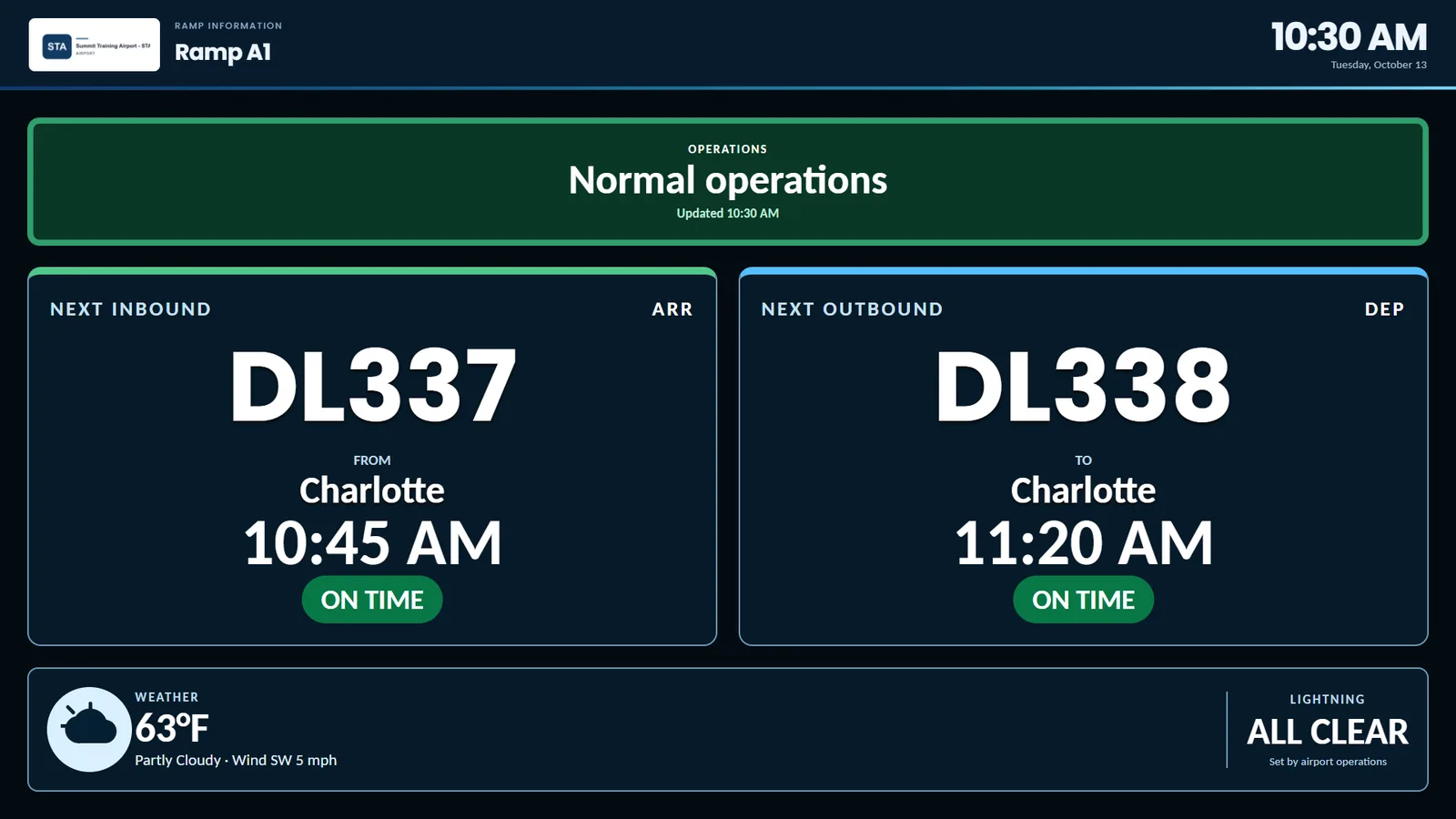
Screen shown with example flights from Summit's training airport.
Ramp information display software for ground crews
Summit RIDS is an optional module that puts gate-side screens in front of ramp and ground crews. Each one shows the next arrival and departure for its stand, current weather at the airport, one banner for what matters now, and the lightning status your operations team sets.
Questions airports ask about RIDS
What is a RIDS?
A ramp information display system (RIDS) is a screen at the gate, facing the ramp, that keeps ground crews up to date. Summit RIDS shows the next turn for its stand, so crews know what is coming.
Does Summit detect lightning?
No. Your operations team sets the lightning alert, all clear or "follow the airport's procedure" status in the portal, and every ramp screen shows it at once.
Can we send an urgent alert to the ramp?
Yes. Routine status shows in green and urgent alerts in red, for one ramp or every ramp at once.
Can we add RIDS later?
Yes. RIDS is an optional module you can add to Summit at any time, on the same screens and portal your team already uses.
More answers on our FAQ page, or see how Summit works.
Simple to deploy.
Easy to control.
Built to grow.
See Summit running in a live demo, and tell us what your airport needs.