Your website shows what your screens show
When your staff change a time or a gate, your website changes too. No second system, no retyping. An optional module.
One change. Your screens and your website agree.
Your website runs its own flight feed. Your staff move a flight to a new gate in Summit, and the screens update, but the website still shows the old gate.
Your website reads its flights from Summit. One change, and the screens and the website show the same gate, time and status.
Illustration with an example flight.
How it gets connected
- 1
We switch it on
Summit turns on Integrations for your airport.
- 2
Your website provider connects
They link your website’s flight page to Summit, using a key your team controls, with help from Summit if they need it.
- 3
Your website follows Summit
From then on, every change your staff make in Summit shows on your website too.
The same flights, wherever you need them
Your airport app
If you have one, it can show the same flights.
An AI assistant for your staff
Staff can ask about today’s flights in plain English, like the example here.
Your reports
Bring flight information into the tools your team already uses.
Two afternoon departures are delayed:
- AA226 to Washington, scheduled 1:05 PM, now 1:42 PM, gate A2
- G4147 to New York, scheduled 5:00 PM, delayed, gate A4
UA429 to Detroit at 3:00 PM is cancelled.
Peace of mind
Read-only
Connected systems can show your flight information. Nothing can change it through the connection.
You hold the key
Your administrators create and cancel access in the Summit portal.
Off whenever you like
Cancel the key or disconnect an assistant, and access stops straight away.
Simple and standard
What’s available: your airport’s profile, plus live arrivals and departures with times, statuses, gates and baggage claims, including your staff’s corrections.
API: a standard web API with a key, returning JSON.
MCP: AI assistants connect with standard sign-in and three read-only tools: get airport, list flights and get notice.
Ready-made skill: a short guide your AI assistant can install, so it knows how to connect to Summit and answer questions about your flights. Download the Summit flights skill
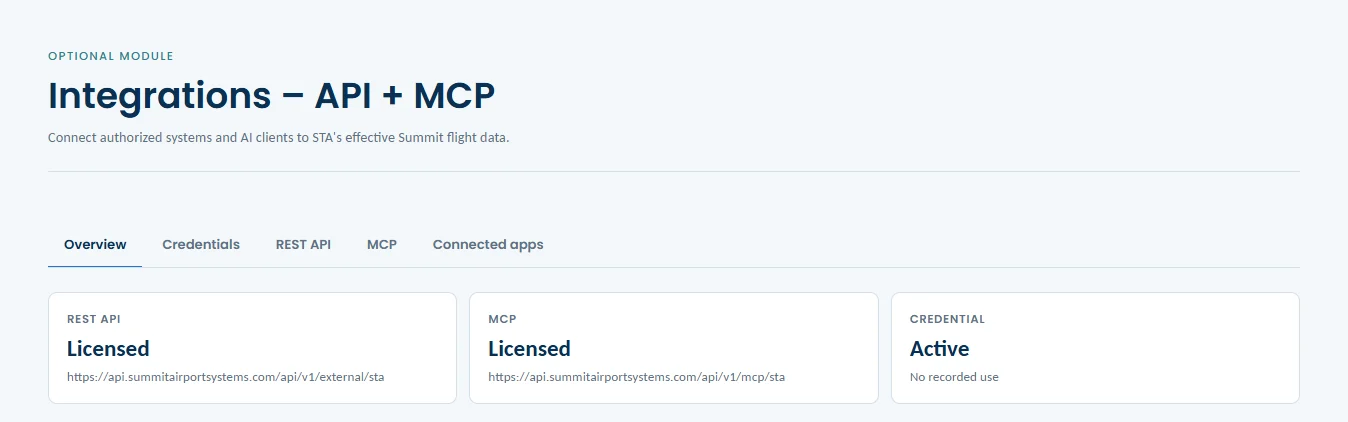
The Summit portal’s Integrations page, for Summit’s training airport.
Simple to deploy.
Easy to control.
Built to grow.
See Summit running in a live demo, and tell us what your airport needs.